Ctrl C
Everything you copy, right where you need it.
Coming soon on the Mac App Store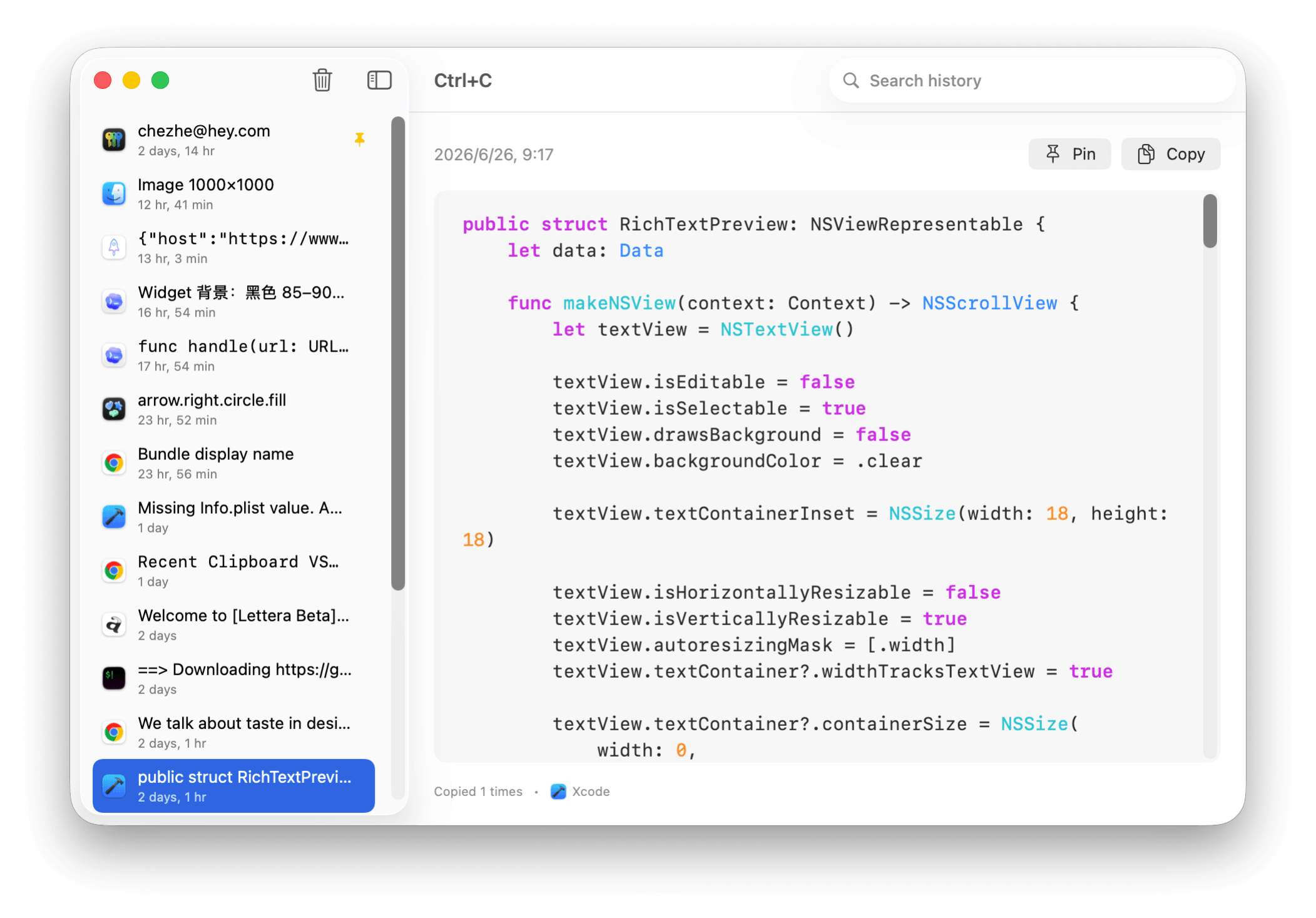
01
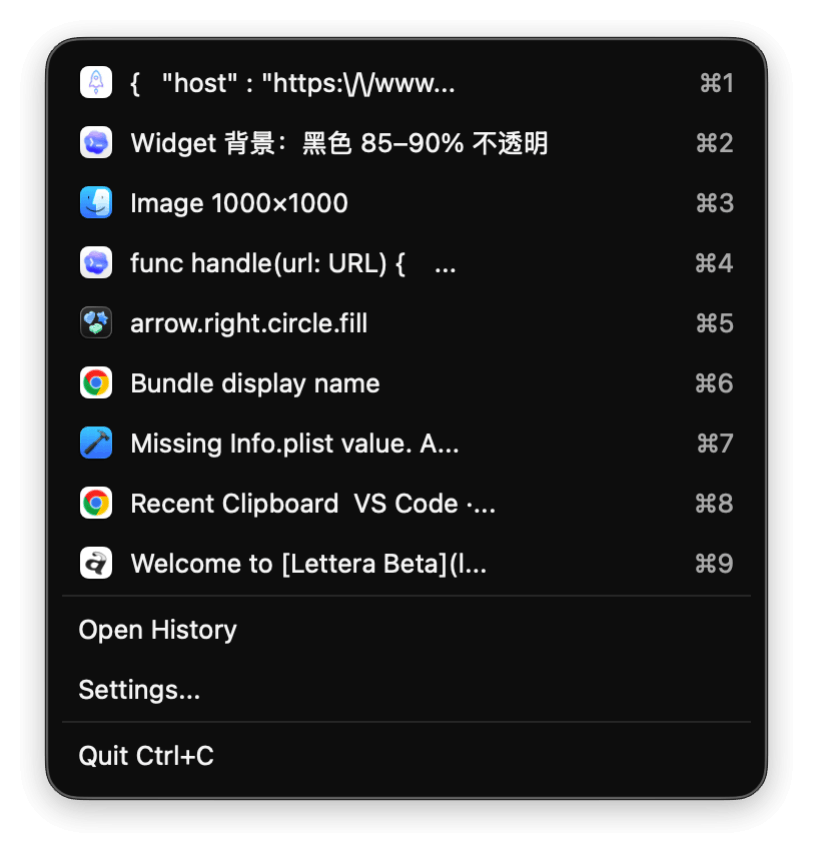
Clipboard history at your fingertips.
Open recent items from the menu bar, or paste one of your latest nine entries instantly with Command 1–9.
02
Your clipboard, on the desktop.
Native macOS widgets keep recent and pinned items visible. Copy something again without opening the app.

03
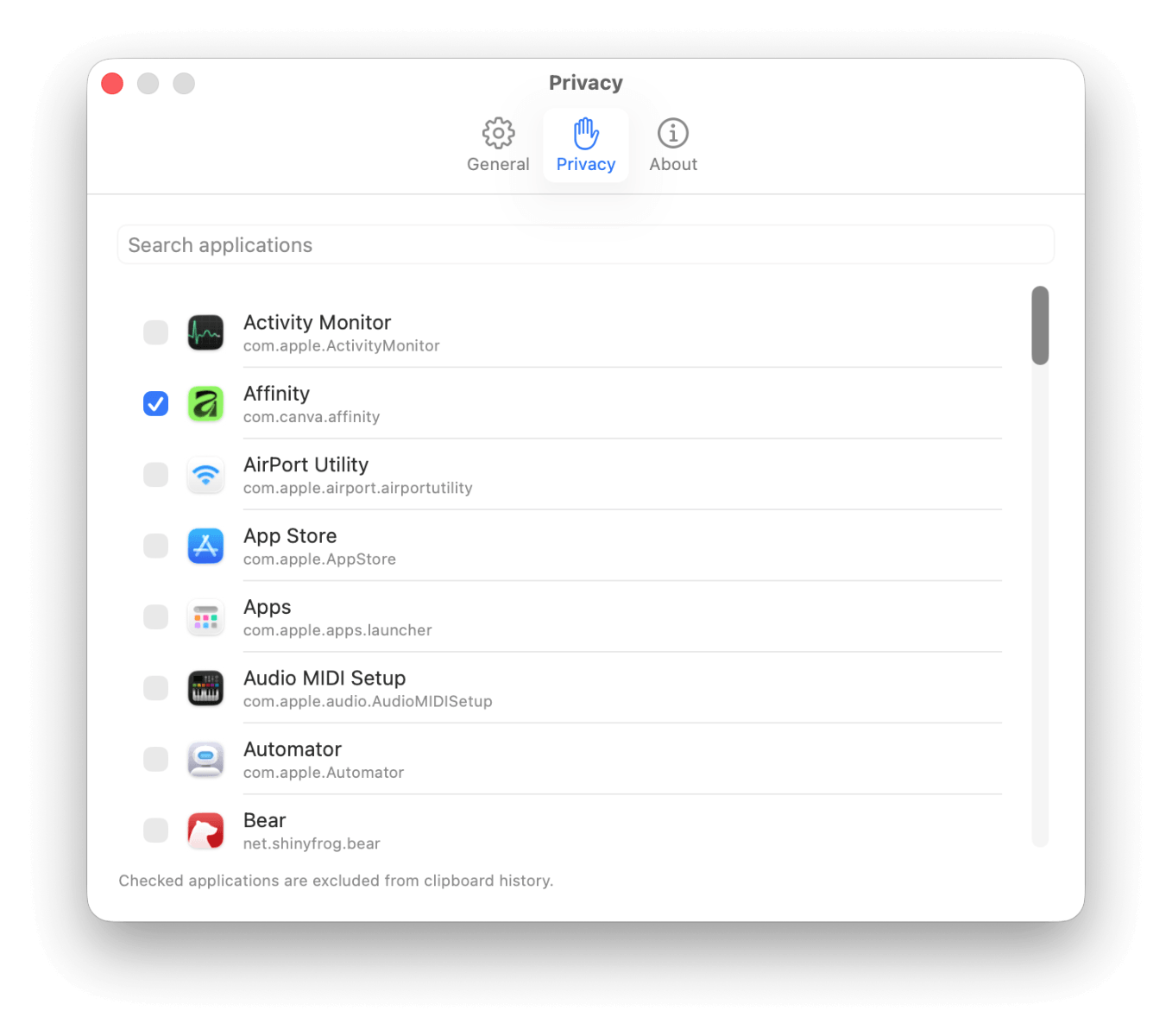
Private by design.
Everything stays on your Mac. Exclude any application from clipboard monitoring with one click. No account, no cloud, no analytics.
04
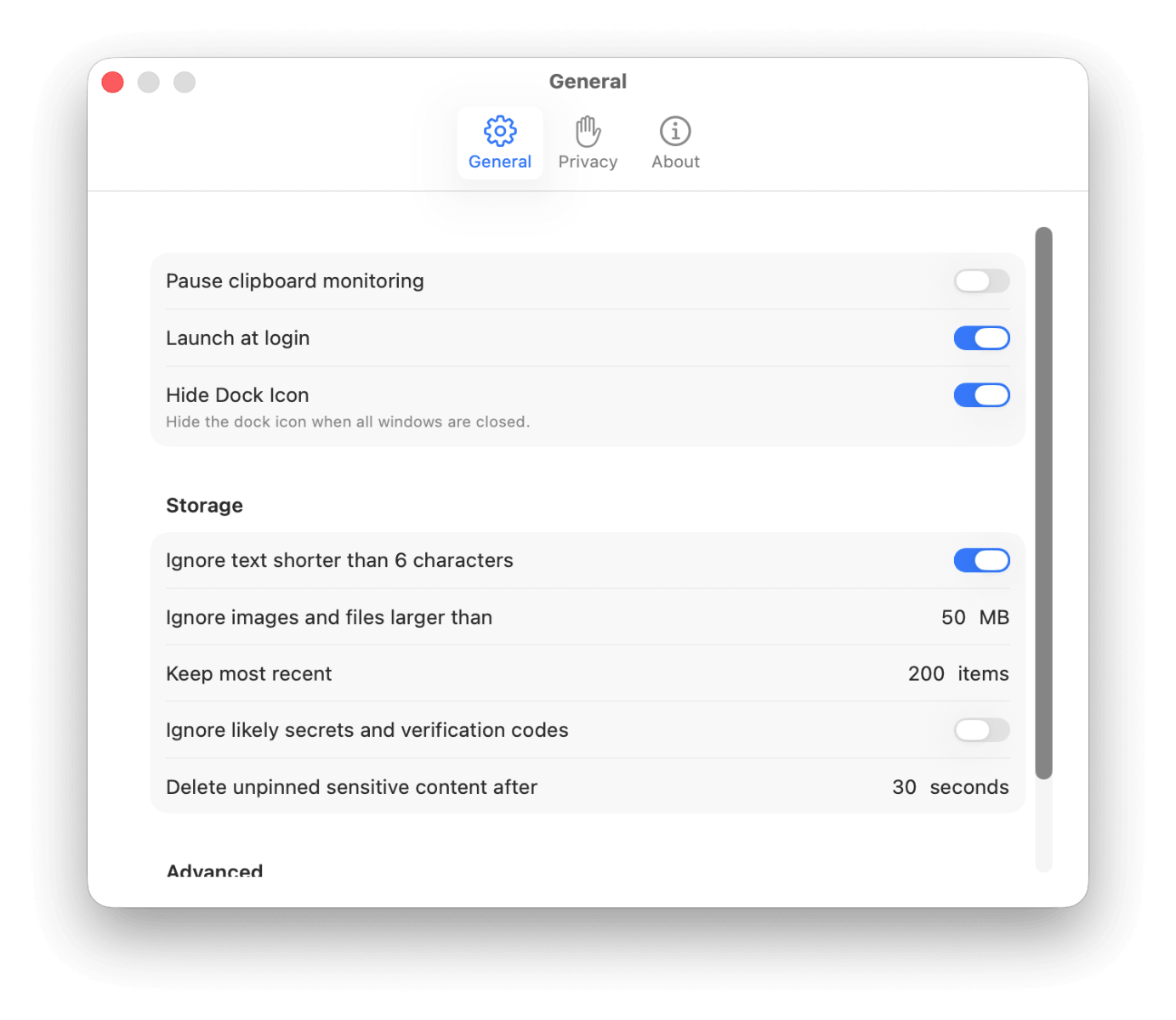
Keep exactly what matters.
Choose your history size, file limits, launch behavior, polling speed, and sensitive-content retention. Ctrl C adapts to the way you work.

05
Sensitive content knows when to disappear.
Ctrl C can recognize likely secrets and verification codes, conceal them in widgets, and remove unpinned sensitive entries after the interval you choose.